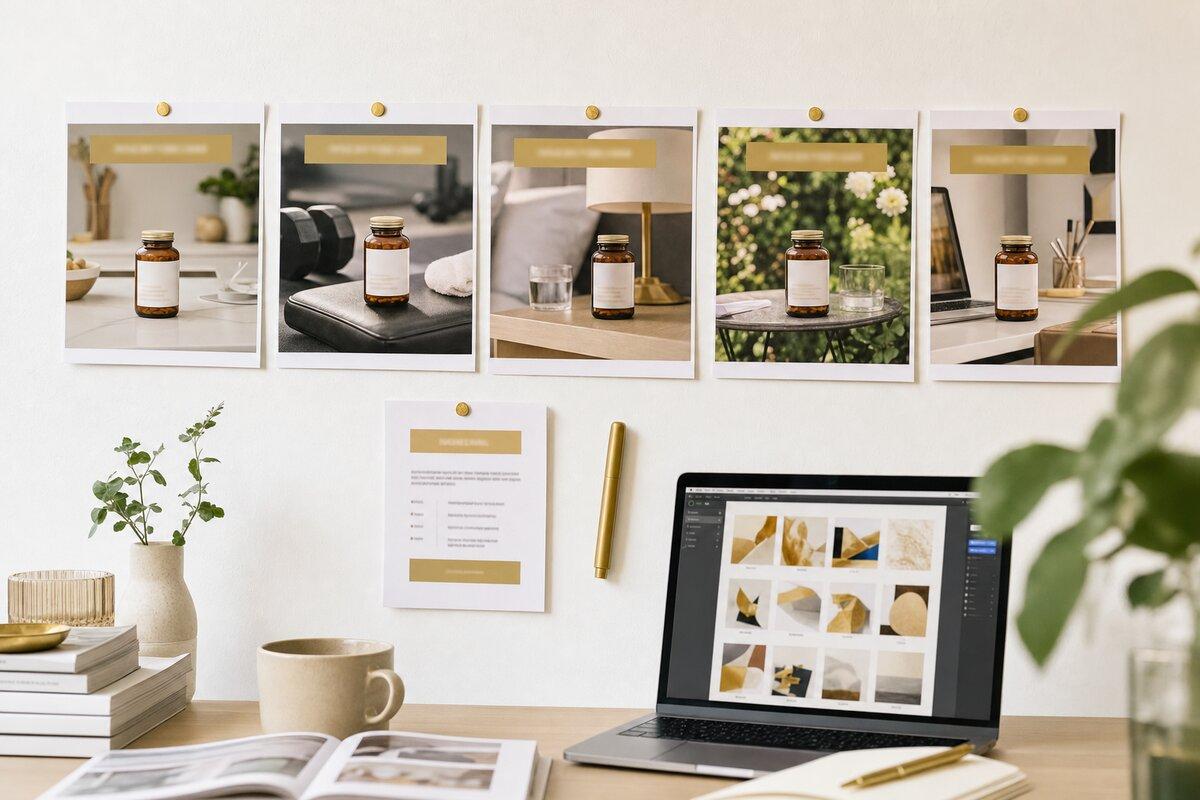
Open any brand's ad account and look at how the statics got made. A copywriter produced hooks. A designer produced pictures. Somebody paired them in the ad builder on the day of launch. Then the account ran twenty variations where the copy, the image and the angle all changed at once, and when one of them won nobody could say why.
The static ad skill fixes both halves of that. It builds the ad as one creative unit, copy and paired image from the same hook, and then expands it with a locking variation matrix so every win is attributable. It's the seventh skill in my free Claude Code copywriting suite, it orchestrates the ad-copy skill for the words, and the full skill file plus both reference files are further down this page, free.
Key Takeaways
- A static ad is one unit: the hook decides the image, and the image's only job is to amplify the hook
- The skill classifies the hook type, proposes two or three visual concepts, writes a six-part image brief any model or designer can execute, and presents the result as one card
- The locking variation matrix is the core move: lock the copy and vary the image, or lock the image and vary the copy, one level at a time, five per request
- Every variation gets a traceable name so a winner points back to its concept and its angle
- A product-absent brief format is included for cold traffic in claim-exhausted markets, where a bottle in frame reads as retargeting
Definition
Locking Variation Matrix
A method for producing ad variations so a win is attributable. One half of the ad, copy or image, is locked and the other half varies one level at a time. New visual, same message, when the copy is winning. New copy, same visual, when the image is strong. A full refresh only when the concept is tired. It's how a creative strategist keeps a testing loop readable.
Why statics fail in the pairing
Here's what a weak static ad usually looks like under the hood. The hook is a story: "Last March I was forty pounds overweight and my doctor said something I couldn't unhear." The image is a smiling woman holding the product in a bright kitchen. The copy opens on a crisis and the picture shows the happy ending, so the tension the hook created is resolved before the viewer reads a word. The ad gets scrolled, and the post-mortem blames the hook.
Or the hook is curiosity: "There's a reason your doctor won't mention this." The image is the product, clearly labelled, front and centre. The loop is closed. The viewer is now product-aware and the click, if it comes, lands on an advertorial written for someone who doesn't know what the product is.
Neither of those is a copy problem or a design problem. Both are a pairing problem, and the pairing is nobody's job. The skill makes it the first decision.
What the skill does, step by step
- Loads the brief. The offer brief if there is one, otherwise the product page and the current best ad. Then it pins four inputs: funnel stage, awareness level, visual style and the pain point or angle. It asks only for what's missing.
- Decides the axis. Sell the click, a short caption and a curiosity image sending to an advertorial or VSL, or sell the solution, more on the image and a product-aware destination. Showing the product changes where the click should go, and the skill says so.
- Writes the copy. One hook as primary text, a 27-character headline and a description, through the ad-copy skill if it's installed. One concept here; the variations come later, so the image has one clear thing to amplify.
- Classifies the hook and proposes visual concepts. Curiosity gets an obscured object. Contrarian gets a visual contradiction. Social proof gets a person like me. Story gets a face mid-moment before the resolution. Demographic callout gets direct eye contact. Result gets the transformation felt, not shown off. Pattern interrupt gets one impossible element in a clean frame. You pick from two or three sketches before anything is generated.
- Writes the image brief. Six short paragraphs: subject, action, context, composition, lighting, style, with the camera and the colour grade specified every time and at least two scroll-stopping levers baked in. It's model-agnostic. I run it through gpt-image; it works the same with Gemini, Midjourney or a designer.
- Presents one card. Asset ID, angle, image description, on-image text, primary text, headline, description, ratio. A batch gets a "run these first" list once it passes five concepts.
- Expands with the locking matrix. Lock the copy and vary the image, lock the image and vary the copy, or full refresh. Five per request, one level at a time.
- Runs compliance and names everything. The compliance pass covers the image as well as the copy, because a scale or a doctor's coat can fail review on its own. Then every variation gets a key, offer, angle, concept letter, variation number and date, that becomes the ad name when it's published.
The card
Every concept comes out in this shape, so the pairing is visible and the batch is comparable.
## 01. The 3am negotiator
**Asset ID:** sleepco_cooling-crash_A1_20261110
**Angle:** Insomnia as a cooling problem · cold / problem-aware / sell-the-click
**Image:** A woman in her forties sitting on the edge of the bed in the dark,
feet on the floor, phone face-down beside her, the only light a streetlamp
through the blinds. No product in frame. · `assets/meta-ads/sleepco_cooling-crash_A1_20261110.png`
**On the image:** none
**Primary text:** I'd tried every routine. Magnesium, no screens, the boring
book. The night I finally slept through, I hadn't relaxed at all. A sleep
researcher told me why, and it had nothing to do with stress.
**Headline:** Why 3am keeps happening
**Description:** The overlooked reason routines fail
**Ratio:** 4x5
The image brief behind that card, the awareness reasoning and the compliance notes go in a notes file beside the batch, not on the card. The card is what you compare. The notes are what you argue about.
The locking variation matrix
The move that makes the skill worth installing is the one most teams skip because it feels slow.
The four variation modes the skill offers
| Mode | Locks | Varies | Use when |
|---|---|---|---|
| New visual, same message | Copy | Image only | The copy is winning; find the image that stops the scroll |
| New copy, same visual | Image | Copy only | The image is strong; find the message that converts |
| Full creative refresh | Nothing | Both, on a new angle | The concept is tired or you want a new direction |
| Custom brief per variation | Per row | Per row | Hand-directed variants, such as the same style with a different subject |
Within a mode the skill varies one level at a time. For images the levers run, in order of impact, from the visual concept (woman at the window versus close-up of the object) through a subject swap and the composition to the colour grade. For copy they run from hook type through angle and opening line to the offer framing. A batch of five on one locked half tells you more than a batch of twenty where everything changed, and the account's reporting can actually be read the following Monday.
When the copy is locked, the skill passes the locked text verbatim into each image brief and touches nothing but the visual. When the image is locked, it reuses the same file or the same reference and reruns only the copy. That discipline is the difference between a test and a lottery.
Product-absent statics
For cold traffic in a market that has heard every claim, the bottle in frame is the problem. A product shot reads as retargeting to someone who has never heard of you, and it gets scrolled.
The second reference file is the brief format for statics with no product in them. The image sells recognition of the buyer's private moment, the caption bridges from that moment to the explanation, and the product appears only on the landing page. The brief has eight fields in a deliberate order, a list of ten psychological doors so that ten concepts in a batch enter ten different ways, and three standing directives: no product, documentary staging, and a review clause that sends back any two concepts sharing a setting, a symptom or a villain. The method is adapted from Stefan Georgi's approach to cold statics, and it's the format I use for supplement accounts where the problem-aware audience is the whole opportunity.
What it won't do
It won't generate images on its own. It writes the brief and you run it through your image model or hand it to a designer. I keep it that way on purpose, because image tools change every quarter and the brief doesn't.
It won't put text on the image. Headline overlays go on in the ad builder or a design tool afterwards, where you can read them at thumbnail size and move them out of the platform's safe zones.
And it won't publish. Mass-publishing to Meta is a separate decision with its own naming and testing rules. The skill's naming convention is built to match that step, so the key on the card becomes the ad name in the account.
Who this is for
- Creative strategists running a weekly testing loop who need the copy-image pairing and the variation discipline written down so the team follows it.
- DTC and supplement brands whose statics are product shots with captions, and whose cold traffic has stopped responding to them.
- Media buyers who have twenty variations in the account and no idea which half of any of them is working.
- Designers who want a brief that says what the camera sees, why, and what is deliberately absent, instead of "make it pop".
How to install and use the skill
Step 1: Save the skill file
Create a static-ad folder inside .claude/skills/ in your project and save the skill markdown below as SKILL.md, so the path is .claude/skills/static-ad/SKILL.md. For every project on your machine, use ~/.claude/skills/static-ad/SKILL.md instead.
Step 2: Save the two reference files
Create a references folder inside static-ad and save the two files below as hook-to-visual-patterns.md and product-absent-brief.md. The skill reads the first when it classifies a hook and the second when you ask for product-absent cold statics.
Step 3: Install the ad-copy skill alongside it
The static ad skill calls the ad-copy skill for the words when it's installed. Add the compliance-checker for the pass at the end.
Step 4: Run it
Ask for a static ad and the skill loads on its own, or start the message with /static-ad. Examples:
- "Make a static ad concept for this offer, cold traffic, problem-aware, candid phone-photo style, on the cooling angle"
- "Lock the copy on concept A and give me five new visuals"
- "Lock the image on A2 and give me five new copy variations"
- "Full creative refresh on a new angle, three concepts"
- "Ten product-absent static briefs for the supplement, each through a different door"
The skill file
Copy the entire contents below and save it as .claude/skills/static-ad/SKILL.md:
---
name: static-ad
description: Build a complete static ad CONCEPT for Meta (Facebook and Instagram), with the hook, headline, description and the paired image direction as one creative unit, then expand it with a locking variation matrix (lock the copy and vary the image, lock the image and vary the copy, or full refresh). Use when the user says "make a static ad", "static ad concept", "create ad variations", "lock the copy and try new images", "give me five variations of this ad", "vary the visual", or wants paired copy and creative for a static ad rather than copy alone or an image alone. Orchestrates the ad-copy skill for the words and writes a model-agnostic image brief for whatever image generator or designer you use. For copy only use ad-copy; for a compliance pass use compliance-checker.
---

# Static Ad (concept + locking variation matrix)

Produce a **static ad as one coherent creative unit**: primary text, headline, description and the paired image, from one brief. Then expand it into a test set with an explicit **locking variation matrix**, so when a variation wins you know which half won.

Most teams run copy and image as two separate jobs. The writer produces hooks, the designer produces pictures, and the pairing happens in the ad builder at the last minute. This skill makes the pairing the first decision, not the last.

> This is an orchestrator. The copy is written by the **ad-copy** skill if it's installed (call it with the brief from Step 1; if it isn't installed, write the copy here using the same brief). The image is described as a **reasoning brief** in Step 2 that any image model (gpt-image, Gemini, Midjourney) or a human designer can execute. This skill owns the concept, the pairing, the variation matrix and the naming.

## When to use vs neighbours

- **This skill:** a finished static ad concept (copy and image together) and a structured set of test variations.
- **ad-copy:** copy only, including UGC and video scripts.
- **angle-finder:** you don't have an angle yet. Run it first; a static ad is only as good as the angle it's built on.
- **compliance-checker:** platform policy pass. Run it after.

## Step 1: Load context

1. **Read the brief.** An offer brief if one exists, otherwise the product page, the current best ad and anything the user gives you. Pull the mechanism, the avatar, the awareness and sophistication of the market, the big idea, the objections and any angle deck.
2. **Pin the four inputs.** Ask only for what's missing; infer the rest from the brief.
   - **Funnel stage:** cold, warm or retargeting.
   - **Awareness level:** unaware, problem, solution, product or most aware.
   - **Visual style:** the look. "Candid phone photo", "clean branded studio", "documentary portrait", "editorial still life".
   - **Pain point or angle:** the one thing this concept calls out.
3. **Decide the strategic axis.** **Sell the click** (short caption, curiosity image, send to an advertorial or VSL) or **sell the solution** (more on the image, product-aware, send to a product page). Showing the product in the image makes the viewer product-aware, which changes where the click should go.
4. **Decide product-present or product-absent.** For cold traffic in a claim-exhausted market, a bottle in frame reads as retargeting and gets scrolled. `references/product-absent-brief.md` is the method for statics that sell the recognition instead of the SKU.

## Step 2: Generate the seed concept (copy and image as one unit)

One brief, one complete concept. The copy comes first and the image is built from it, never the reverse.

1. **Copy.** Produce the single best hook as primary text, headline (27 characters for mobile) and description, anchored to the angle. One concept here; the variations come in Step 3, so the paired image has one clear thing to amplify.
2. **Classify the hook type**, because it decides the visual pattern. `references/hook-to-visual-patterns.md` has the full mapping with a brief template for each; the summary:

| Hook type | Visual pattern | Why it pairs |
|---|---|---|
| Curiosity | Close-up of an unfamiliar or partly obscured object | The viewer wants to know what it is; the image must not resolve it |
| Contrarian | Split-screen or a person breaking convention | Visual tension mirrors the copy's contradiction |
| Social proof | A real-looking person with a visible result | Credibility borrowed from a person like me |
| Story | An emotional face mid-moment, before the resolution | Narrative reflex; the open tension demands the click |
| Demographic callout | Direct eye contact, recognisable context for the target | "This is about me" recognition |
| Result | The transformation moment or its aftermath, felt not shown off | Aspiration made immediate |
| Pattern interrupt | Unexpected scale, colour or juxtaposition, otherwise clean | Breaks the feed's rhythm, and must connect to the angle |

3. **Propose two or three visual concepts** as plain-English sketches and let the user pick before anything is generated. Each sketch: what the camera sees, the composition move, the aesthetic register (phone candid, studio product, documentary portrait, cinematic) and one sentence on why it pairs with the hook.
4. **Write the reasoning brief** for the chosen concept as six short paragraphs of prose, not a keyword list: **Subject** (who or what, with physical specifics), **Action** (mid-gesture, state of being), **Context** (place, time of day), **Composition** (shot type, framing, depth of field, aspect ratio), **Lighting** (source, direction, quality, temperature), **Style** (medium, camera and lens, film stock or grade, references). Specify the camera and the colour grade every time; "shot on a Sony A7R IV, 85mm, Kodak Portra 400 grade" produces a better image than "photorealistic". Bake in at least two scroll-stopping levers: a face with eye contact, high contrast, a pattern interrupt, negative space, a peak-action freeze, and legibility at thumbnail size.
5. **Set the aspect ratio** for the placement. Feed: 4:5 (1080×1350) by default, 1:1 for cross-placement. Stories and Reels: 9:16 (1080×1920), with faces, objects and any text kept out of the top 250px and bottom 250px. Never 16:9 for a static.
6. **Generate or hand off.** Run the brief through whatever image model you use, with a reference photo if the ad needs a real person, a real product or a house style, or hand the brief to the designer as written. Don't put text in the generated image; add headline overlays in the ad builder or a design tool afterwards.
7. **Present as one card** so the unit is obvious. A batch gets a heading (`# <Offer>: <n> static concepts, <cold or retargeting>`), a **Goes to** line, an **Angles in this batch** line, the numbered cards, then `## Run these first` with three to five numbers and one sentence each once the batch has more than five concepts.

```markdown
## 01. <Concept name>
**Asset ID:** <the Step 5 key, e.g. sleepco_cooling-crash_A1_20261110>
**Angle:** <plain name> · <funnel stage> / <awareness> / sell-the-<click|solution>
**Image:** <one paragraph: what is in frame, the light, what is deliberately absent> · `assets/meta-ads/<file>.png`
**On the image:** <headline text on the image, if any>
**Primary text:** <opening lines to the click line>
**Headline:** <Meta headline, 27 characters for mobile>
**Description:** <one line>
**Ratio:** <4x5 / 1x1 / 9x16>
```

The reasoning brief, the "why it pairs" note, the awareness stage and the compliance findings go in a `<Batch> - Notes.md` file beside the cards, not on the card.

## Step 3: The locking variation matrix (the core move)

Don't regenerate everything every time. **Lock one half and vary the other**, so a win is attributable. Offer the mode explicitly:

| Mode | Locks | Varies | Use when |
|---|---|---|---|
| **New visual, same message** | copy | image only | The copy is winning; find the image that stops the scroll |
| **New copy, same visual** | image | copy only | The image is strong; find the message that converts |
| **Full creative refresh** | nothing | both, on a new angle | The whole concept is tired or you want a new direction |
| **Custom brief per variation** | per row | per row | Hand-directed variants ("same style, but a woman in her thirties") |

Discipline: **vary one level at a time** so you know what moved the needle. Default to five variations per request. The image levers, in order of impact: visual concept (woman at window versus close-up of the object), subject swap (same concept, different person or demographic), composition (close-up versus medium versus wide), colour grade (warm versus cool versus muted). When locking copy, pass the locked text verbatim and change only the visual concept, subject, composition or grade. When locking the image, reuse the same file (or the same reference image and brief) and rerun the copy only.

Label every variation with the concept it belongs to and the copy it pairs with:

```
A1  Concept A (story hook, woman at window)             pairs with copy A   story-A1-20261110.png
A2  Concept A, subject swap (older woman, same setting)  pairs with copy A   story-A2-20261110.png
B1  Concept B (close-up of journal and coffee)           pairs with copy B   curiosity-B1-20261110.png
```

## Step 4: Compliance pass

Run the concept, copy and image together, through the compliance-checker skill before it's test-ready, especially for supplement and health claims, subscribe-and-save terms and finance claims. The image is part of the claim: a before-and-after panel, a scale, a bank balance or a doctor's coat can fail review on its own. Note overclaims and offer compliant rewrites that keep the punch.

## Step 5: Name, save and make it traceable

The name ties the concept to its variations and, later, to its result.

`<offer-slug>_<angle>_<concept-letter><variation-n>_<yyyymmdd>`, for example `sleepco_cooling-crash_A1_20261110` (concept A, variation 1).

- Images go in `assets/meta-ads/`, filename = the key.
- The concept set and the matrix go in a dated markdown file in the project, with the brief it drew on linked at the top.
- Use the same key as the ad name when the ad is published, so the account's reporting traces back to the concept and the angle. When a variation wins, write the result next to its card; the next batch should start from what won.

## Discipline

- **Copy drives the image, always.** The hook exists before the visual. Never generate nice pictures and back-fit copy.
- **One concept, then lock and vary.** Don't change copy and image and angle in one variation; you lose attribution.
- **Ground in the brief, not a URL.** The concept is only as good as the angle it's built on. If there's no angle, run angle-finder first.
- **Two or three sketches before one image.** One concept with no alternatives is a unilateral creative decision on the user's behalf.
- **It's a creation tool, not a publishing tool.** Mass-publishing to Meta is a separate decision with its own naming and testing rules.

## Reference files

Load on demand, not at startup:

- `references/hook-to-visual-patterns.md`: the seven hook types mapped to visual patterns, with composition rules, don'ts, a brief template and variation levers for each.
- `references/product-absent-brief.md`: the brief format for cold-traffic statics with no product in frame, and the three standing directives that go with it.
Reference file 1: hook-to-visual patterns
Save this as .claude/skills/static-ad/references/hook-to-visual-patterns.md:
# Hook-to-visual pattern library

The mapping between the hook types the ad-copy skill produces and the visual patterns that amplify them. This is where copy and image become one unit.

How to use it: identify the hook type from the copy, find the section, adapt the brief template to the offer (never paste it verbatim), and propose the adapted concept before generating. Every brief is six short paragraphs of prose: subject, action, context, composition, lighting, style.

## Curiosity hook → obscured object

**The copy move:** "There's a reason your doctor won't mention this." An open loop.

**The visual pattern:** Something partly obscured, unfamiliar or unexpectedly close. The viewer's brain should ask "what is that?" in the first half-second. The image must not resolve the curiosity; that's the landing page's job. Show the product clearly and you've closed the loop and made the viewer product-aware.

**Composition rules:** extreme close-up or macro; an unusual angle (top-down, worm's eye, over the shoulder); soft edges or hard shadow to hide identity; negative space around the object.

**Don't:** show the branded product; show a happy person holding it; reveal the solution.

**Brief template:**

> **Subject:** A generic object that could be the mechanism (a small jar, a folded paper, a botanical specimen, an instrument) in macro detail with its identity obscured, plus one teasing detail of texture, colour or scale.
> **Action:** Held between two fingertips or resting on a weathered surface, rotated away or cut by the frame edge so it can't be identified at a glance.
> **Context:** A plain linen, concrete or matte black surface, no brand marks, no competing objects. The ambiguity is the point.
> **Composition:** Macro, subject on the left third filling about 40% of the canvas, the rest negative space. Shallow depth of field.
> **Lighting:** One hard directional light from camera-left at 45 degrees, deep shadow hiding part of the subject.
> **Style:** Editorial product photography, 90mm macro, muted earth tones, lifted shadows. References: Aesop product shots, Kinfolk still life.

**Variation levers:** the object; the surface; the lighting direction.

## Contrarian hook → visual contradiction

**The copy move:** "Everything you've been told about X is wrong." "Stop doing X. Do Y."

**The visual pattern:** A contradiction that mirrors the copy's argument. A split-screen of wrong and right, or one person doing the unexpected. The viewer pauses because something doesn't add up.

**Composition rules:** a crisp divide (left/right, up/down, diagonal), or a single subject breaking convention; strong contrast between halves; the wrong half unappealing, the right half desirable.

**Don't:** use generic before-and-after fitness panels; make the product the "right" answer; let the halves blend.

**Brief template:**

> **Subject:** A split frame. Left, the conventional wisdom the copy argues against (a person wrung out by a traditional workout, a joyless "healthy" plate, a desk worker at the end of a rope). Right, the alternative: the same person composed and relieved.
> **Action:** Left mid-struggle, right mid-ease, with parallel compositions.
> **Context:** Left cluttered and overworked, right calm and minimal.
> **Composition:** A clean vertical divide at 50%, same camera height and focal length on both sides, subjects on the inner thirds so the tension sits across the divide.
> **Lighting:** Left, flat greenish overhead fluorescent. Right, warm directional window light. The lighting shift alone sells the contradiction.
> **Style:** Documentary lifestyle, Kodak Portra 400 on the right, cooler and more clinical on the left.

**Variation levers:** divide orientation; single-subject contradictions with no split; colour-coded halves.

## Social proof hook → person like me

**The copy move:** "Over 47,000 women have tried this." "Sarah from Ohio lost 23 pounds in eight weeks."

**The visual pattern:** A real-looking person the target can project onto, with specific imperfections. Not a stock model. One subject in a testimonial composition, or a loose montage implying a crowd of similar people.

**Composition rules:** direct eye contact, or a deliberately averted documentary gaze, never both; the exact age, build and background of the target; an unposed expression; a setting from the target's real life.

**Don't:** generate too-perfect people; use the teeth-out commercial smile; shoot on white seamless.

**Brief template:**

> **Subject:** A 42-year-old mother of two, soft around the middle, laugh lines, a slightly asymmetric smile, one stray hair across her forehead, a stretched cardigan and a thin gold necklace. Someone you'd actually know.
> **Action:** Looking straight into the lens with a quiet, knowing half-smile, a mug held loosely.
> **Context:** Her own kitchen, late morning, unglamorous window light, a coffee maker and a child's drawing on the fridge in soft focus.
> **Composition:** Medium close-up at eye level, 4:5, slightly off-axis, f/2 so the face separates from the kitchen.
> **Lighting:** Soft directional window light from camera-right, gentle Rembrandt shadow on the far cheek, no fill.
> **Style:** Documentary portrait, 56mm f/1.2, Fuji Classic Negative. References: Humans of New York, editorial portraits in The Atlantic.

**Variation levers:** age bracket; ethnicity and regional look; setting; expression.

## Story hook → arrested moment

**The copy move:** "Last March I was forty pounds overweight and my doctor said…" Opens mid-struggle.

**The visual pattern:** An emotional face caught mid-moment, before the resolution. Not the happy ending; the quiet crisis the copy opens with. The open tension demands resolution from the landing page.

**Composition rules:** frame tight on the face; a complex expression (arrested, conflicted, resigned), not a simple sad or angry one; environment supports without distracting; the person is still, mid-thought.

**Don't:** show the smiling "after"; stage a crying shot; fill the frame with context.

**Brief template:**

> **Subject:** A person whose face carries the weight of the struggle in the copy: tired eyes, hair tied back without care, a faded tattoo on the forearm. The expression sits between hope and exhaustion.
> **Action:** Frozen mid-thought, staring at a window, a framed photo or their own hands. One hand motionless on the counter.
> **Context:** Their own private space, the kitchen at 6am, a car at a stoplight, an unmade bedroom. The kind of place you're only in when you're alone with your thoughts.
> **Composition:** Medium close-up from slightly below eye level, 4:5, the face in the upper two-thirds, background soft at f/1.8. Not looking at the camera.
> **Lighting:** One soft natural source, morning window or a streetlamp through blinds, warm but honest, deep shadow on the off-camera side.
> **Style:** Documentary portrait, 28mm, Kodak Portra 400. References: Alec Soth, the quiet moments in Sofia Coppola's films.

**Variation levers:** time of day; location; the object of attention.

## Demographic callout → direct address

**The copy move:** "Attention men over 50 who…" "If you're a mum in your forties and you're tired of…"

**The visual pattern:** A face that matches the demographic exactly, with direct eye contact. The viewer sees themselves in the first second. The most literal pairing in the library.

**Composition rules:** face front and centre, full eye contact; explicit demographic markers; the same demographic living a slightly better version of their life; a context that supports their self-image without being out of reach.

**Don't:** use models younger or more polished than the target; shoot in generic corporate stock settings; avert the gaze.

**Brief template:**

> **Subject:** A 54-year-old man, salt-and-pepper beard, receding hairline, wire-framed reading glasses, a softened jawline, in a worn leather jacket or a tucked-in polo. The viewer's best self, five percent more grounded.
> **Action:** Direct eye contact, the half-smile of someone who has figured something out, relaxed open posture.
> **Context:** A workshop with tools in soft focus, a home office with books and one plant, a kitchen island with black coffee, a modest loved front porch.
> **Composition:** Medium shot at eye level (never from below or above), 4:5, centred, face in the upper third.
> **Lighting:** Warm directional light from camera-left, softbox or late afternoon, gentle modelling, no harsh shadow.
> **Style:** Editorial portrait, medium-format feel, muted earth tones, Fuji Pro 400H. References: Monocle portraits, The New York Times Magazine.

**Variation levers:** age within the bracket; setting; ethnicity matching the market.

## Result hook → transformation frame

**The copy move:** "I lost 23 pounds in eight weeks without giving up pizza." "$10k in my first month."

**The visual pattern:** The transformation moment or its aftermath, not the journey and not the before. The person feeling the result, not showing it off.

**Composition rules:** specific credible evidence, present but not the focus (a scale in the background, a bank notification, jeans that now fit); a moment of realisation, not a trophy pose; achievable, not magazine-perfect.

**Don't:** use ugly-before panels; show the product held aloft; over-stylise the after.

**Brief template:**

> **Subject:** The copy's "I" in a moment of quiet celebration: a hand running over jeans that used to be tight, a phone showing a balance, a photo of the old self on the fridge. Relief, quiet joy or disbelief, still sinking in.
> **Action:** Looking down at the phone, exhaling with closed eyes, laughing alone at a kitchen table. Unposed.
> **Context:** Their own kitchen, bedroom or car, the evidence half-visible in a corner, a celebration drink untouched on the counter.
> **Composition:** Medium shot at eye level, 4:5, subject on the right two-thirds, evidence on the left third out of primary focus.
> **Lighting:** Warm natural window light, soft, reads as good news.
> **Style:** Documentary lifestyle, Fuji Classic Negative with warmth pushed.

**Variation levers:** the evidence object; the emotional register; the setting.

## Pattern interrupt → unexpected juxtaposition

**The copy move:** "Stop scrolling. This actually matters." Demands attention by tone.

**The visual pattern:** Something unexpected in the context of the feed. Not weird for its own sake; a specific contrast of scale, colour, context or material that connects to the angle.

**Composition rules:** one element dramatically out of place in an otherwise clean frame; high production quality so it looks intentional; negative space so the interrupt lands.

**Don't:** be random; use lazy surrealism (floating objects, melting clocks); clutter the frame.

**Brief template:**

> **Subject:** One expected element from the market's world (a morning coffee setup, a workout, a desk) and one impossible element (the cup is the size of a bathtub, the desk sits in a field of flowers, the dumbbell is made of ice).
> **Action:** The subject treats the impossible element as completely normal. The calm amplifies the wrongness.
> **Context:** An otherwise ordinary kitchen, gym or office. The wrongness is isolated to one element, not smeared across the scene.
> **Composition:** 1:1, centred, ample negative space, a reference object for scale if needed.
> **Lighting:** Even, diffused, slightly clinical, like a catalogue shoot, so the flatness contrasts with the content.
> **Style:** Surrealist commercial photography. References: Tim Walker, Erik Johansson, Magritte.

**Variation levers:** which element interrupts (scale, colour, context, material); the degree of interrupt; the market context.

## General rules

- **Match the copy's register.** Story hook, documentary portrait. Result hook, lifestyle. Pattern interrupt, surrealist commercial. Don't shoot a story hook with commercial lighting.
- **Include a face when you can.** Faces dominate feed attention. Only the curiosity pattern and some interrupts leave it out.
- **Leave room for the platform UI.** On 9:16, keep faces, objects and text out of the top 250px and the bottom 250px.
- **Specify the camera and the grade.** Kodak Portra 400 for warmth, Fuji 400H for muted lifestyle, teal and orange for cinematic drama. The grade is half of an ad's feel.
- **Test at thumbnail size.** Shrink the image to 200px on the long edge. If the subject and the emotion don't read, go bigger, simpler and closer.
- **Market tuning.** Emotional markets lead with face and story in warm documentary light. Biz-op leans contrarian and result, high contrast, subject mid-work. Health and supplements use clean earth-toned rooms, natural light only, curiosity and social proof. DTC ecommerce shows product in use, bright and lifted. Info products show the life the course promises, not the course.
Reference file 2: the product-absent brief
Save this as .claude/skills/static-ad/references/product-absent-brief.md:
# Product-absent static ad brief

For cold-traffic statics in a problem-aware or claim-exhausted market, where a bottle in frame reads as retargeting and gets scrolled. The image sells the recognition ("that's my 3am"), the caption bridges to the explanation, and the product appears only on the landing page. One brief per concept; ten briefs per batch; every brief enters by a different door. The method is adapted from Stefan Georgi's approach to cold statics.

The field order is deliberate: scene before copy, copy before assets, bans last. Don't reorder.

```markdown
### Brief: Concept NN — <Angle name>

**0. Angle line**
<current misconception> → <friction point> → <physical visual evidence>
Door: <physical symptom | disposal graveyard | false culprit | relational friction | micro-moment of defeat | reluctant skeptic | counter-intuitive habit | waste ledger | identity shift | micro-consequence of relief>

**1. Angle name and core premise**
One sentence. The friction, the false villain or the realisation. No product.

**2. Target avatar and awareness level**
Who is in the frame (age, life stage, demeanour). What they currently believe. Problem-aware, solution-aware or claim-fatigued. What they have already tried.

**3. The scene (visual staging, NO PRODUCT)**
- Setting:
- Subject or point of view:
- Primary object:
- Secondary props:
- Lighting:
- Composition:

**4. Visual register and medium**
Phone camera-roll candid, editorial reportage, native UI screenshot, domestic snapshot. Say who "took" the photo and why.

**5. In-frame typography (zone hierarchy)**
- Stop headline (position, face, colour): "…"
- Qualifier (smaller, muted): "…"
- Action affordance (small, low-right or bottom): "…"

**6. Division of labour**
- The visual proves:
- The headline claims:
- The caption delivers:

**7. Primary text (caption bridge) and destination**
Two to four sentences from the visual tension to the explanation, ending on the open loop the landing page resolves. Destination URL.

**8. Negative constraints (strict)**
- No bottles, cartons, blister packs, droppers, mockups, watermarks.
- No badge overlays ("#1 Doctor Recommended", "100% Organic").
- No model looking into the lens; no theatrical expressions.
- No studio lighting or gradient backdrops.
- Concept-specific bans: <moon-and-stars art, CGI anatomy, smiling seniors on trails…>
```

## The ten doors

Each concept in a batch enters by a different one. Two concepts through the same door are duplicates.

1. **Physical symptom:** the body showing the problem (the hand on the lower back, the squint at the phone).
2. **Disposal graveyard:** the drawer or bin of things that didn't work.
3. **False culprit:** the thing they blame that was never the cause.
4. **Relational friction:** the problem as it shows up between people (the partner's look, the cancelled plan).
5. **Micro-moment of defeat:** the small private surrender (the stairs taken one at a time, the belt moved a notch).
6. **Reluctant skeptic:** the person who has heard it all and is reading anyway.
7. **Counter-intuitive habit:** the surprising thing the "fixed" person now does.
8. **Waste ledger:** the money or time spent, made visible (receipts, a calendar of cancelled sessions).
9. **Identity shift:** who they were, who they refuse to become.
10. **Micro-consequence of relief:** the small ordinary thing that becomes possible again.

## The three standing directives (paste into the batch instructions)

**Zero-product mandate.** Treat this brief as if the product does not physically exist. No bottle, box, dropper, label or branded watermark. The image's job is to make the target buyer stop scrolling because she recognises her own private moment, not to sell a SKU.

**Documentary directive.** Stage this like a candid photo pulled from a phone camera roll or an unpolished documentary still, not an advertisement. Lighting is ambient room light, morning glare through blinds or fluorescent office fixtures. No three-point studio lighting, ring lights or gradient backdrops.

**Review clause.** If two concepts share the same setting, symptom or villain, they are duplicates. Changing the headline wording while keeping the same core idea is an execution test, not an angle test. Every concept must use a distinct psychological doorway, and concepts that repeat a door get sent back.
The complete toolkit
The static ad skill is the pairing step of an eight-skill system. Each skill handles a different stage of the paid advertising workflow:
- Angle finder skill: finds the angle before you build the concept, from customer language and cross-domain research.
- Ad copy skill: writes the words the static ad skill pairs, with hook types, structure and Meta specs built in.
- Landing page copy skill: writes the page the static sends traffic to, on the same angle.
- Direct response copy skill: the advertorial, VSL and sales page behind the funnel.
- Copychief skill: reviews the copy before it ships.
- Compliance checker skill: the pass the concept goes through, image included, before Meta sees it.
See the complete skill suite overview for how they chain, and the roundup of the best Claude Code copywriting skills for how they compare with the alternatives.
Get the skill
Scroll up, copy the skill file and the two reference files, and save them into .claude/skills/static-ad/. No signup, no paywall, no email gate.
Prefer git? The whole suite is on GitHub: github.com/robpalmer99/claude-code-copywriting-skills. Clone it or copy the static-ad/ folder straight into your project's .claude/skills/ directory. CC-BY-4.0.
Then take your best-performing static, lock the copy, and ask for five new visuals. If one of them beats the control, you've learned something you can repeat. If none does, lock the image and try five new hooks. Either way, next Monday's report will tell you which half of the ad is doing the work, which is more than most accounts can say.
If it helps you find a static that scales, a link back to this page is the only thing I ask. And if you'd rather have someone run the loop, from angle to finished creative, book a strategy call.
Frequently Asked Questions
What is the Claude Code static ad skill?
A free skill file for Claude Code that builds a Meta static ad as one creative unit: the primary text, headline and description, and the paired image brief, all from the same hook. It then expands the concept with a locking variation matrix, lock the copy and vary the image or lock the image and vary the copy, names every variation so a winner traces back to its concept, and runs a compliance pass before the set is test-ready.
What is a locking variation matrix?
A way of producing ad variations so that a win is attributable. You lock one half of the ad, the copy or the image, and vary only the other half, one level at a time. New visual with the same message when the copy is winning. New copy on the same visual when the image is strong. A full refresh only when the whole concept is tired. Change copy and image and angle at once and you cannot tell what moved the result.
Does the static ad skill generate the images?
It writes the image brief, a six-part reasoning brief covering subject, action, context, composition, lighting and style, and hands it to whatever image model or designer you use. I run it through gpt-image; it works the same with Gemini, Midjourney or a human designer. The skill owns the concept, the pairing and the variation discipline, not any one image tool.
Why should the copy come before the image?
Because the image's job is to amplify a specific hook. A curiosity hook needs an obscured object that does not resolve the question. A story hook needs a face mid-moment before the resolution. Generate pictures first and you end up back-fitting copy to whatever looked nice, which produces stock photos with captions. The skill refuses to brief an image until the hook exists.
What is a product-absent static ad?
A cold-traffic static with no bottle, box or logo in frame. In a claim-exhausted market a product shot reads as retargeting and gets scrolled. The image sells recognition of the buyer's private moment, the caption bridges to the explanation, and the product appears on the landing page. The skill includes a reference file with the brief format, ten psychological doors for entering a concept, and the three standing directives for a batch.
Is the static ad skill free?
Yes. The SKILL.md and its two reference files are published under CC-BY-4.0 in the same GitHub repository as my other copywriting skills. Copy the folder into .claude/skills, no signup or email gate. A link back to this page is the only thing I ask if it helps you.
Do I need the ad-copy skill as well?
It helps. The static ad skill is an orchestrator: when the ad-copy skill is installed it calls it for the words, so the hook types, the WHY/WHAT/HOW structure and the Meta specs come from there. If it is not installed, the static ad skill writes the copy itself from the same brief. Install both and add the compliance-checker for the pass at the end.
How many variations should I make?
Five per request by default, varying one level at a time. For images the levers in order of impact are visual concept, subject swap, composition and colour grade. For copy they are hook type, angle, opening line and offer framing. A batch of five on one locked half tells you more than a batch of twenty where everything changed.
Does the static ad skill work for Instagram as well as Facebook?
Yes. It sets the aspect ratio for the placement, 4:5 for feed by default, 1:1 for cross-placement, 9:16 for Stories and Reels with the safe zones respected, and the copy specs come from the ad-copy skill's Meta reference. The concept card and the variation matrix are the same for both platforms.
Does the static ad skill work in ChatGPT or Codex?
In Codex, yes: OpenAI's agent reads the same Agent Skills format from a .agents/skills folder. In ChatGPT's chat window you can paste the skill body into a Project or a custom GPT within the 8,000-character instruction cap, and you lose the chaining into the ad-copy and compliance skills. I wrote a full Claude Code vs ChatGPT comparison for copy if you are deciding.
Found this useful?
Share it with someone who could use it too.

Rob Palmer
I am a veteran direct-response copywriter with 40+ years of experience and $523M+ in tracked results. My clients include Apple, IBM, Microsoft, and Citibank. I specialize in VSLs, sales funnels, and email sequences for ClickBank and DTC brands — leveraging Claude Code with my custom copywriting skills and a 1,239-file Obsidian copywriting brain to amplify battle-tested direct-response principles.
Related Articles
Free Claude Code Angle Finder Skill: Find Ad Angles Your Competitors Haven't Run
Download my free Claude Code angle finder skill. It mines your reviews, ad comments and Reddit for the customer's own words, borrows mechanisms from unrelated fields, and outputs scored angle cards ready for the ad-copy skill.
Free Claude Code Funnel Teardown Skill: Break Down Any Competitor Funnel, Then Model It Safely
Download my free Claude Code funnel teardown skill. It walks a live competitor funnel from ad to checkout, critiques each page above and below the fold, flags congruency breaks, swipes a video ad scene by scene, and models a proven page's structure into original copy for your offer, with a mandatory compliance gate.

Claude Code for Ecommerce Brands: How to Run an AI Creative Team in 2026
How ecommerce and DTC brands use Claude Code and copywriting skills as an AI creative team: review mining, angles, ad copy at volume, landers, email flows and compliance, with the numbers it produced on paid traffic.